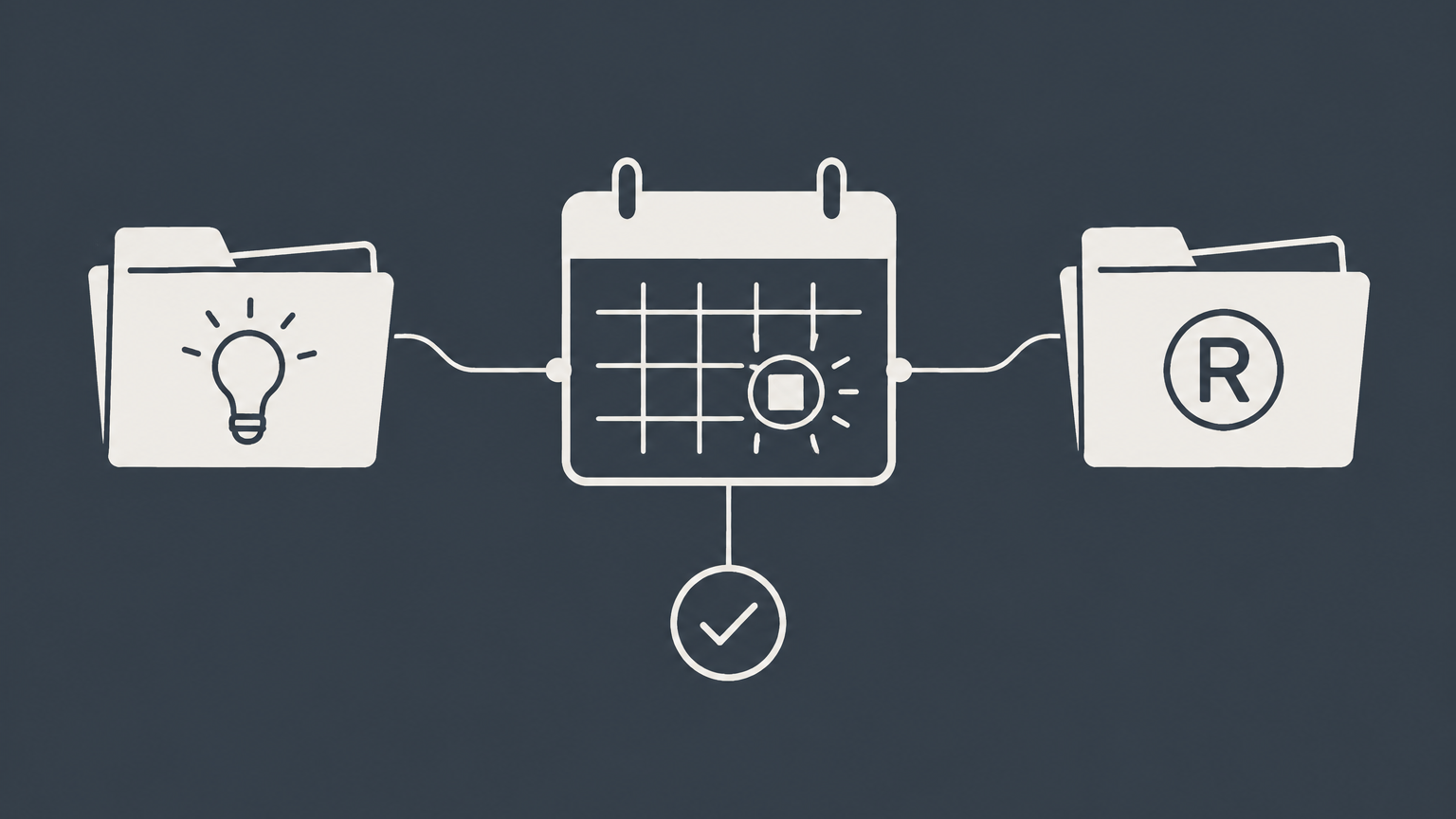
IP docketing is the structured process of recording, calculating, verifying, and monitoring deadlines for intellectual property matters. Law firms and in-house teams use it to coordinate filings, documents, reminders, and responsibility across an IP portfolio.
Key Takeaways
- IP docketing tracks deadlines, documents, status changes, tasks, and responsible parties for intellectual property matters.
- The process covers patents and trademarks, but each practice has different events, terminology, and procedural rules.
- Software can calculate dates and issue alerts, but trained personnel must verify information against source documents and applicable rules.
- Spreadsheets may support small, simple portfolios, while dedicated software or outsourced services offer stronger controls as complexity grows.
- Reliable docketing requires documented procedures, layered reminders, quality checks, backups, and clear escalation rules.
- Agency data can help confirm a record, but it should not automatically be treated as a complete internal docket.
What Is IP Docketing?
IP docketing is the legal and administrative system used to manage events affecting patents, trademarks, designs, and related intellectual property matters. A docket record typically connects an asset or application with its owner, jurisdiction, official number, filing history, documents, deadlines, assigned professionals, and current status.
Docketing is more than entering a date into a calendar. The person handling the docket must identify what an official communication requires, determine which rules apply, calculate or confirm the response date, assign the task, and preserve a record of the completed action. Because procedural requirements vary by jurisdiction and matter type, a date generated by software still requires appropriate review.
A structured docket gives attorneys and business teams a central view of pending work. It can show which filings need instructions, which responses await attorney review, which registrations approach renewal, and which documents have been submitted. This visibility also supports budgeting and portfolio decisions, such as deciding which rights remain commercially valuable.
Missing some deadlines can result in abandonment, loss of rights, additional expense, or extra work to seek relief when relief is available. Other dates may be internal targets rather than official deadlines. A useful docket distinguishes between those categories and shows the source, status, and person responsible for each event.
How the IP Docketing Workflow Operates
A dependable workflow follows a matter from intake through completion. Each organization may adapt the steps, but the underlying controls should remain consistent:
- Open the matter: Create a record using standardized names, ownership details, jurisdiction, matter type, responsible attorney, and internal reference numbers.
- Record source documents: Save or link the filing receipt, office communication, application, registration, correspondence, or other document that created the event.
- Identify docketable events: Determine which official deadlines, internal target dates, renewals, payments, reviews, or follow-up tasks arise from the document.
- Calculate and verify dates: Apply the relevant procedural rule, then reconcile the calculated deadline with the source document and current official instructions.
- Assign responsibility: Identify the attorney, paralegal, business contact, foreign associate, or vendor expected to provide instructions or complete the task.
- Send layered alerts: Issue advance reminders, follow-up notices, and urgent escalations rather than relying on a single calendar notification.
- Document completion: Record what was filed or decided, when it occurred, who approved it, and what evidence confirms completion.
- Close or roll forward: Close the event only after quality review, then create any deadline triggered by the completed action.
This sequence creates an audit trail that another team member can understand. It also prevents a common problem: marking a task complete before the filing receipt or other confirmation has been reviewed. Procedures should address absences and staff departures so open tasks do not remain assigned to inactive users.
Patent, Trademark, and Litigation Docketing
Docketing is not limited to patents. Patent docketing and trademark docketing share basic controls, but they track different events and require different subject-matter knowledge.
Patent docketing follows patent applications through filing, examination, issuance, and later maintenance activities. Records may include priority information, inventors, assignments, related applications, office communications, response dates, and jurisdiction-specific payment events. Patent teams may use patent search tools during evaluation, but search results and docket records serve different functions. A search helps assess existing technology, while the docket controls procedural tasks.
Trademark docketing tracks applications, examination responses, publication or opposition events, registrations, renewals, and evidence-related filing requirements. It may also track goods and services, classes, ownership, and watching activities. Trademark deadlines can depend on the jurisdiction, filing basis, procedural stage, and communication received.
Broader legal or litigation docketing may cover court rules, service dates, hearing schedules, discovery, motion practice, and judge-specific requirements. Those workflows differ from agency prosecution. A patent and trademark docketing system therefore does not necessarily support litigation merely because it has a calendar.
Teams seeking one platform for both IP prosecution and litigation should verify that it maintains separate rule sets, matter structures, permissions, escalation paths, and audit histories. They should also confirm how the platform updates court and agency rules. A generic deadline field is not the same as a tested rules-based workflow.
What an IP Docketing Specialist Does
An IP docketing specialist maintains the integrity of the docket. Daily responsibilities can include opening matters, reviewing incoming communications, entering bibliographic data, organizing documents, calculating dates, generating reports, monitoring outstanding instructions, and escalating urgent items. Specialists also perform quality checks and help reconcile internal records with agency or foreign-associate information.
The role differs from ordinary data entry. A data-entry operator may transfer information from one location to another. A docketing specialist must recognize the significance of a document, identify the events it creates, question inconsistent information, and know when attorney review is necessary. Attention to detail is essential, but so are procedural knowledge and sound escalation habits.
The attorney responsible for the matter remains focused on legal judgment. The attorney interprets ambiguous rules, selects the response, advises the client, approves filings, and addresses potentially missed deadlines. The specialist supports that work by maintaining accurate records and bringing risks to the attorney's attention. Internal procedures should clearly state which decisions require attorney approval.
People enter the field through combinations of legal support experience, IP prosecution exposure, software training, and instruction in office procedures. Employers may use different job titles, including docketing coordinator, IP paralegal, or docketing manager. Training should cover the organization's software, source-document review, applicable jurisdictions, confidentiality, quality control, and escalation procedures.
Docketing Software, Spreadsheets, and Outsourced Services
The right operating model depends on portfolio complexity, staffing, jurisdictions, and tolerance for manual work. Dedicated intellectual property docketing software can centralize records and automate reminders, while patent docketing services or broader IP docketing services provide trained external support. Some organizations combine software with an outsourced review team.
| Factor | Spreadsheet or Calendar | Dedicated IP Docketing Software | Outsourced Docketing Service |
|---|---|---|---|
| Matter types | Manually configured | May include patent and trademark workflows | Depends on provider expertise and scope |
| Portfolio size | Better suited to limited, simple records | Can support growing or complex portfolios | Can add capacity without internal hiring |
| Jurisdictions | Rules must be researched and maintained manually | May include jurisdiction-specific rules | Provider may monitor selected jurisdictions |
| Alerts | Usually manual or calendar based | Configurable, layered notifications may be available | Reports and escalation may follow agreed procedures |
| Integrations | Limited | May connect with documents, email, billing, or agency data | Depends on provider systems and access |
| Audit trail | Version history may be limited | User and event histories may be available | Should be defined in service procedures |
| Data migration | Manual cleanup | Import tools may be available | Provider may assist with reconciliation |
| Quality control | Entirely dependent on internal procedures | Software controls plus human review | Provider review plus client oversight |
If you outsource, document deliverables, responsibility, security, response times, and error-escalation procedures in a scope of services agreement. Software buyers should also review availability, support, and incident terms using relevant vendor service level agreement principles.
How to Choose IP Docketing Software
Start with your actual workflows rather than a long feature list. A solo practitioner handling domestic trademarks has different needs from a firm managing international patent families or an in-house team coordinating several outside firms. Ask vendors to demonstrate your own matter types, reports, and escalation scenarios.
- Practice coverage: Confirm support for patents, trademarks, litigation, or other matters you intend to place in the system.
- Rules and jurisdictions: Determine which deadline rules are included, how they are maintained, and what users must calculate themselves.
- Verification controls: Look for second-review workflows, source-document links, date histories, duplicate detection, and reports showing incomplete records.
- Alerts and assignments: Confirm that reminders can reach multiple responsible people and escalate when tasks remain open.
- Reporting: Test deadline, workload, portfolio, status, and audit reports with realistic data.
- Security and access: Evaluate permissions, authentication, backups, data exports, and controls for outside counsel or vendors.
- Migration and support: Ask how existing data will be mapped, tested, corrected, and accepted before launch.
Docketing software for law firms should fit related document, billing, and client-service processes without creating uncontrolled duplicate records. If the portfolio includes software-related assets, separately consider how to protect intellectual property software rights, since a docketing platform tracks work but does not create the underlying legal protection.
Do not assume an integration guarantees accuracy. Verify what information is imported, how often it updates, and which records remain outside the connection. Review official resources from the USPTO and WIPO when those authorities apply.
Accuracy, Migration, and Multi-Jurisdiction Controls
Initial data entry is one of the highest-risk stages of implementation because automation can reproduce a bad date consistently. Before activating alerts, reconcile imported records against source documents. Check application and registration numbers, owners, jurisdictions, priority claims, statuses, responsible professionals, and open events. Use duplicate reports and exception lists to identify missing or conflicting information.
A documented migration plan should define which system controls the record during the transition. It should also identify who approves data mapping, who tests calculations, and when the old system becomes read-only. A transition services agreement can help allocate responsibilities when a vendor or service provider assists with the transfer.
For a multi-jurisdiction portfolio, use consistent naming conventions and required fields across all records. Assign separate responsibility for obtaining business instructions, confirming local advice, approving the response, and completing the filing. Layer reminders so that one unanswered email does not become the only warning. When a rule is unclear, confirm it with the responsible authority or qualified counsel rather than relying solely on a preconfigured date.
If a deadline appears conflicting, unclear, or potentially missed, an IP lawyer can verify the applicable procedural rule, assess available responses, supervise any necessary filing, and establish a defensible workflow for future matters. You can post your legal need on UpCounsel's marketplace, where responses typically arrive within a day. Provide the source communication, jurisdiction, relevant dates, and existing docket history so the lawyer can evaluate the issue efficiently.
Accuracy also depends on ongoing maintenance. Schedule docket audits, review closed tasks, test alert delivery, and document handoffs when staff changes. Back up records and retain enough history to understand why a date was added, modified, or removed. No tool eliminates the need for trained review and accountable supervision.
Frequently Asked Questions
What Is Docketing?
Docketing is the organized recording and monitoring of deadlines, documents, hearings, filings, and assigned tasks in a legal matter. Outside IP practice, the term may describe court calendars or a court's formal list of proceedings. The precise meaning therefore depends on the practice area, but it always involves maintaining a reliable record of events that require attention.
What Is IP Docketing?
IP docketing is the specialized form of docketing used for intellectual property applications, registrations, and related proceedings. It creates an operational record that connects each asset with its procedural history and future obligations. Unlike a simple reminder list, it also identifies the underlying matter, responsible people, supporting records, and disposition of completed events.
Which Platforms Support Both Litigation and Patent Deadline Tracking for Small Law Firm Teams?
Only platforms whose current documentation expressly supports both workflows should be considered for combined litigation and patent tracking. A small firm should request demonstrations of court-rule calculations, patent prosecution events, jurisdiction coverage, audit logs, and separate escalation paths. Test the platform with representative files before relying on it, since a general calendar feature does not establish full support for either practice.
Which Docketing Platforms Maintain Accuracy Despite Time-Consuming Initial Data Entry?
No platform can guarantee accurate deadlines when the initial information is wrong or incomplete. Favor systems that offer controlled imports, required fields, duplicate detection, source-document attachments, exception reports, approval workflows, and complete change histories. During evaluation, ask the vendor to explain its migration validation process and show how reviewers can trace a calculated date back to the event that created it.
Is Docketing Only for Patents?
No, docketing is used across patents, trademarks, litigation, and other deadline-driven legal work. Organizations may also track designs, copyrights, licenses, domain names, or contractual obligations when those items form part of their IP management process. Each category should use suitable fields and rules rather than forcing every legal event into a patent-oriented template.
What Is Docketing in a Law Firm?
Docketing in a law firm is the internal control function that records and monitors matters requiring action by attorneys and staff. Depending on the firm's practice, it may cover court appearances, discovery dates, agency filings, renewals, client instructions, and internal review targets. Firms commonly separate official deadlines from internal due dates so attorneys have time to prepare, review, and obtain approval.